
LOADED WITH FEATURES YOU’LL LOVE
One software hub to manage all of your hospitality business operations and admin.
14 day free trial. No credit card required.

LOADED WORKS WITH LEADING POS





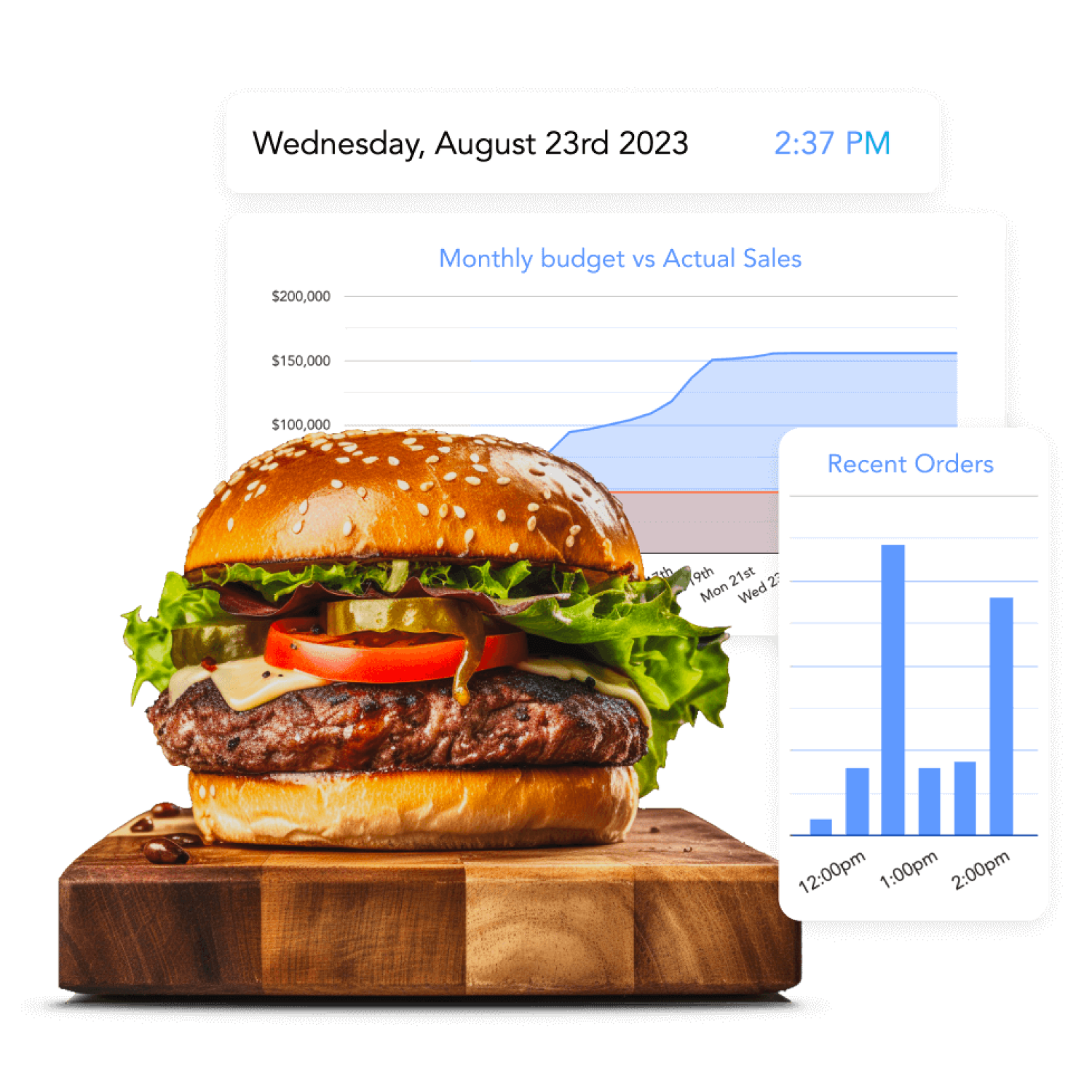

What does the Loaded dashboard show me?
A real-time snapshot of everything you need to run your business, synced directly from your existing POS.
- Beautiful cloud based reporting & analytics.
- Simple dashboards to track your key metrics in real time.
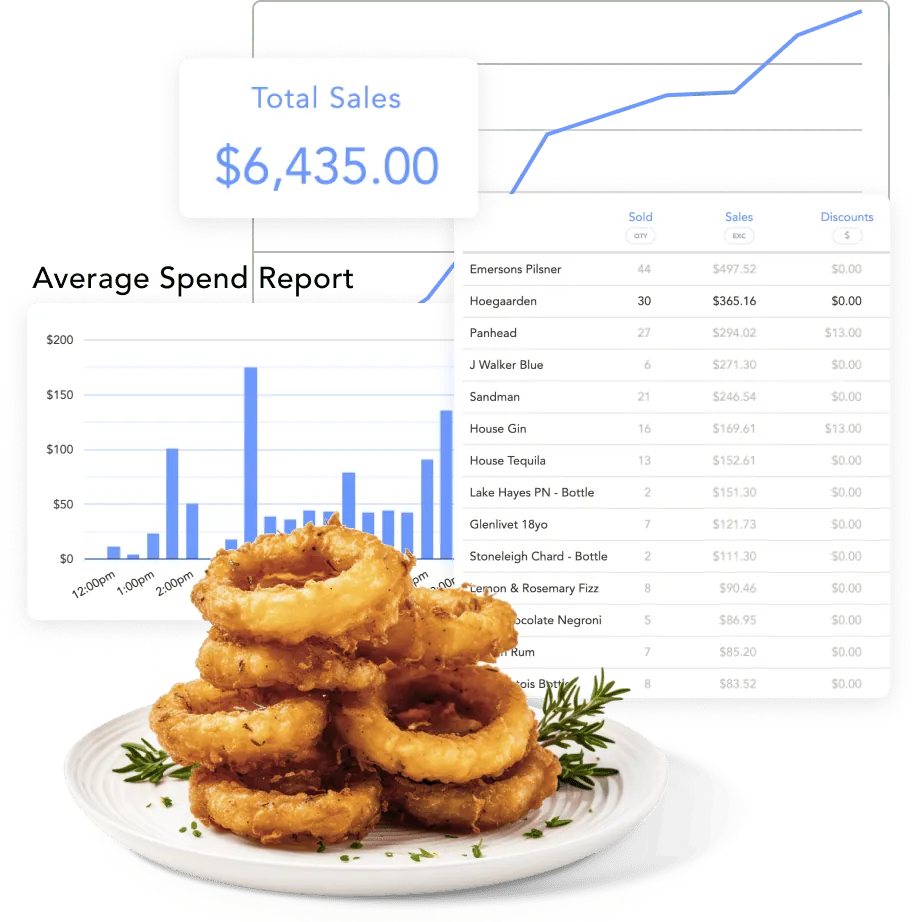
- Customisable revenue, labour & cost of goods reporting.
- Analyse & compare staff sales & performance.
- Consolidate all your venues into our multi-site reporting suite.
- Easily compare previous weeks, months, and years to monitor performance progress.

How does reporting help me run my venues?
Operator specific reporting ensures you gain genuine control of your venue and group profitability.
- Break down performance by venue and date range, side by side.
- Compare labour cost and COGS across your whole business.
- See every venue side by side in one multi-site comparison view.
- View team performance across every role and department.
- One click comparisons to last year and budget.
- Drill down to the exact numbers behind every report, not just the summary.
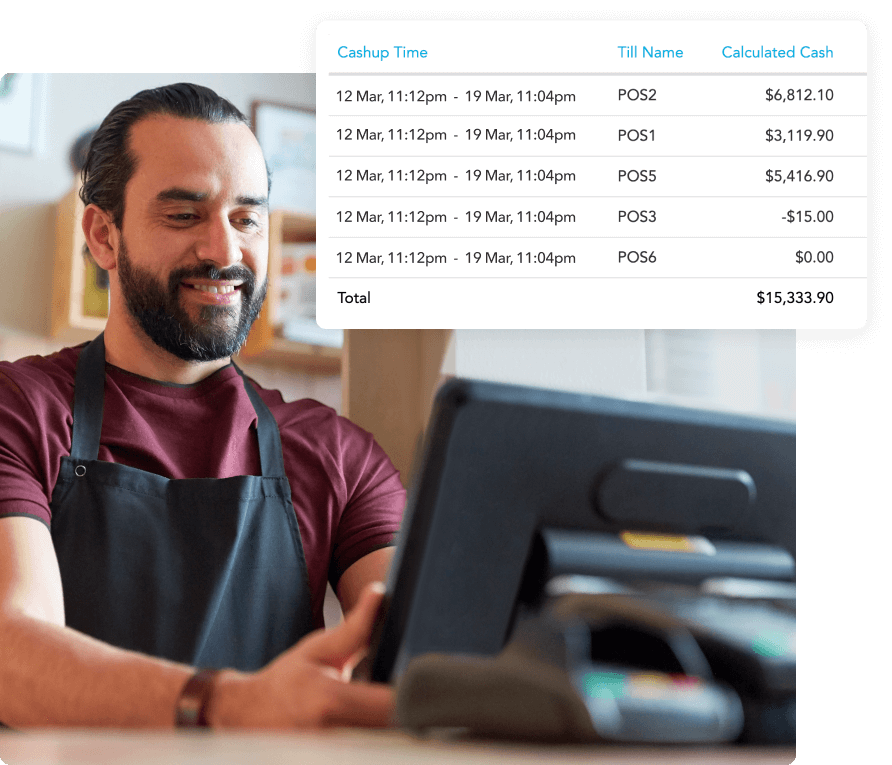

Why should I move cashups to the cloud?
End of day reconciliation and commentary that all of your team can access from anywhere means you immediately know when you have a leakage or theft issue.
- Sync your expected revenue by tender type against actual takings.
- Reconcile actual revenue to your accounting system to stamp out theft and shrinkage.
- Nightly management report with easy access for all users.
- Full reconciliation reporting and multi-site comparison of variance.

How can I use budgets to drive my team performance?
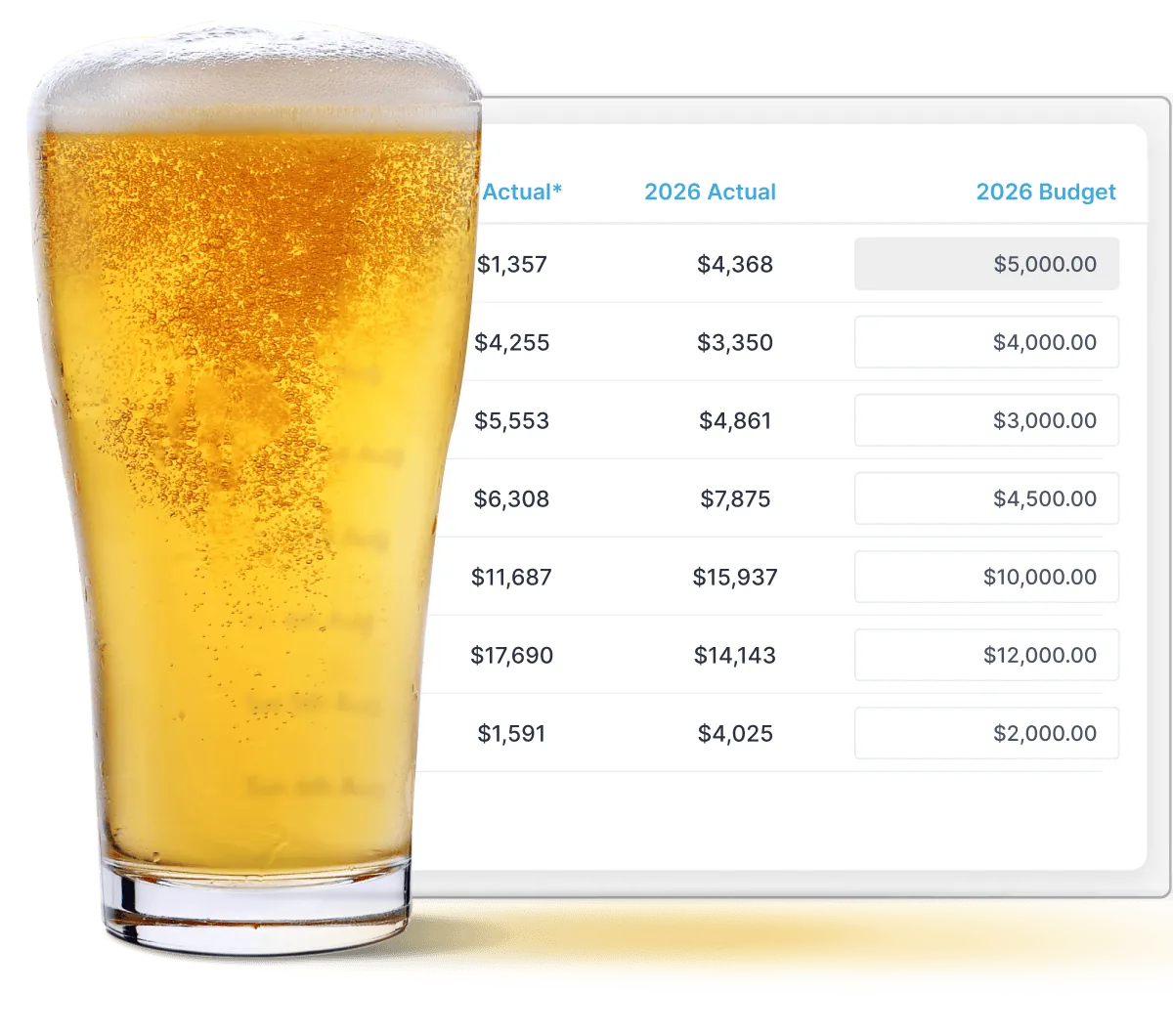
Smart daily sales budgeting allows you to align your team goals and targets and drive improved performance.
- Compare apples with apples by setting targets by the exact same day of the week as last year.
- Actual sales auto-compare with sales budgets and last year's sales.
- All reports then utilise budgets to ensure you know exactly how you compare to your targets.
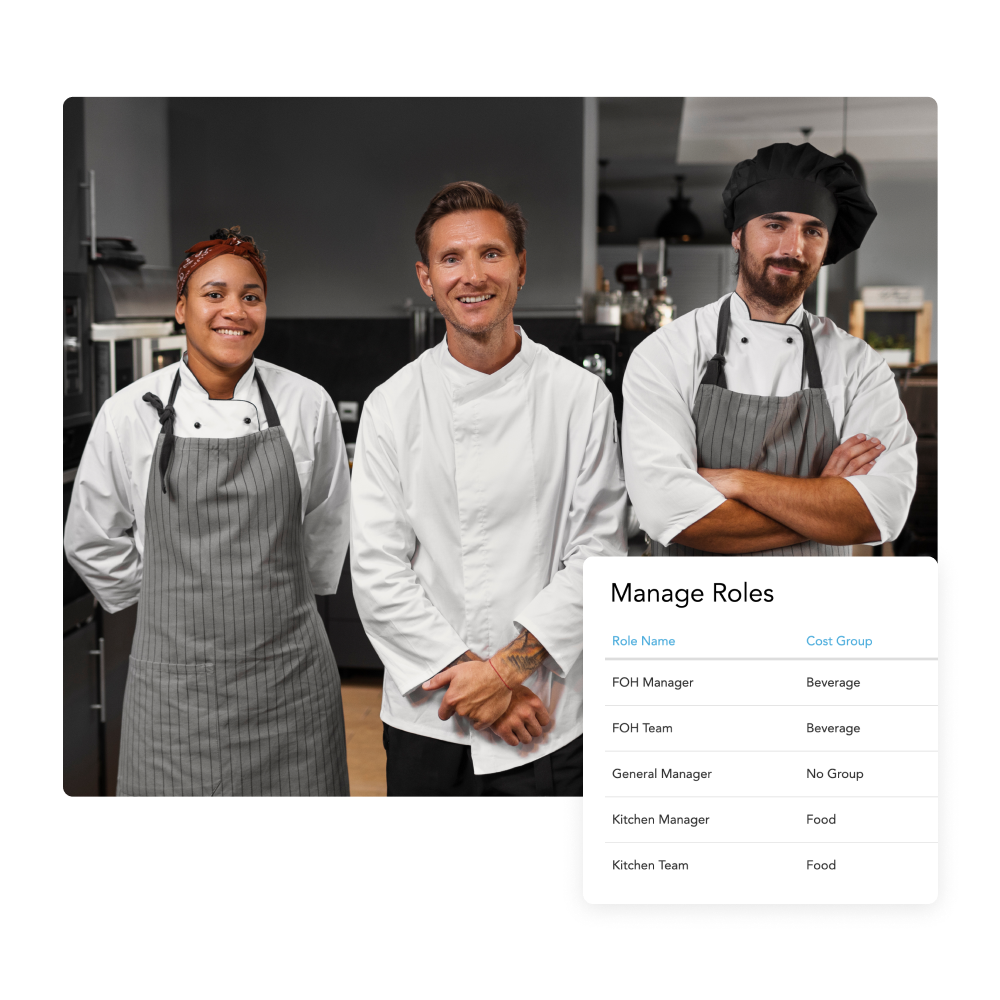

Can I move my workforce to Loaded?
Yes, Loaded pulls your staff info straight from your POS or Xero — no manual entry, simple to keep in sync when someone joins or leaves.
- Team members linked directly to your POS and Xero payroll to track revenue and wage cost.
- Multi role and multi pay rate settings available for those staff that do everything.
- Accurately manage and analyse both salary and wage earners in labour reports.
- Designed for Australian award compliance - manage staff across roles, wage types, and penalty rates in one clean workflow.
Is there a team app available in Loaded?
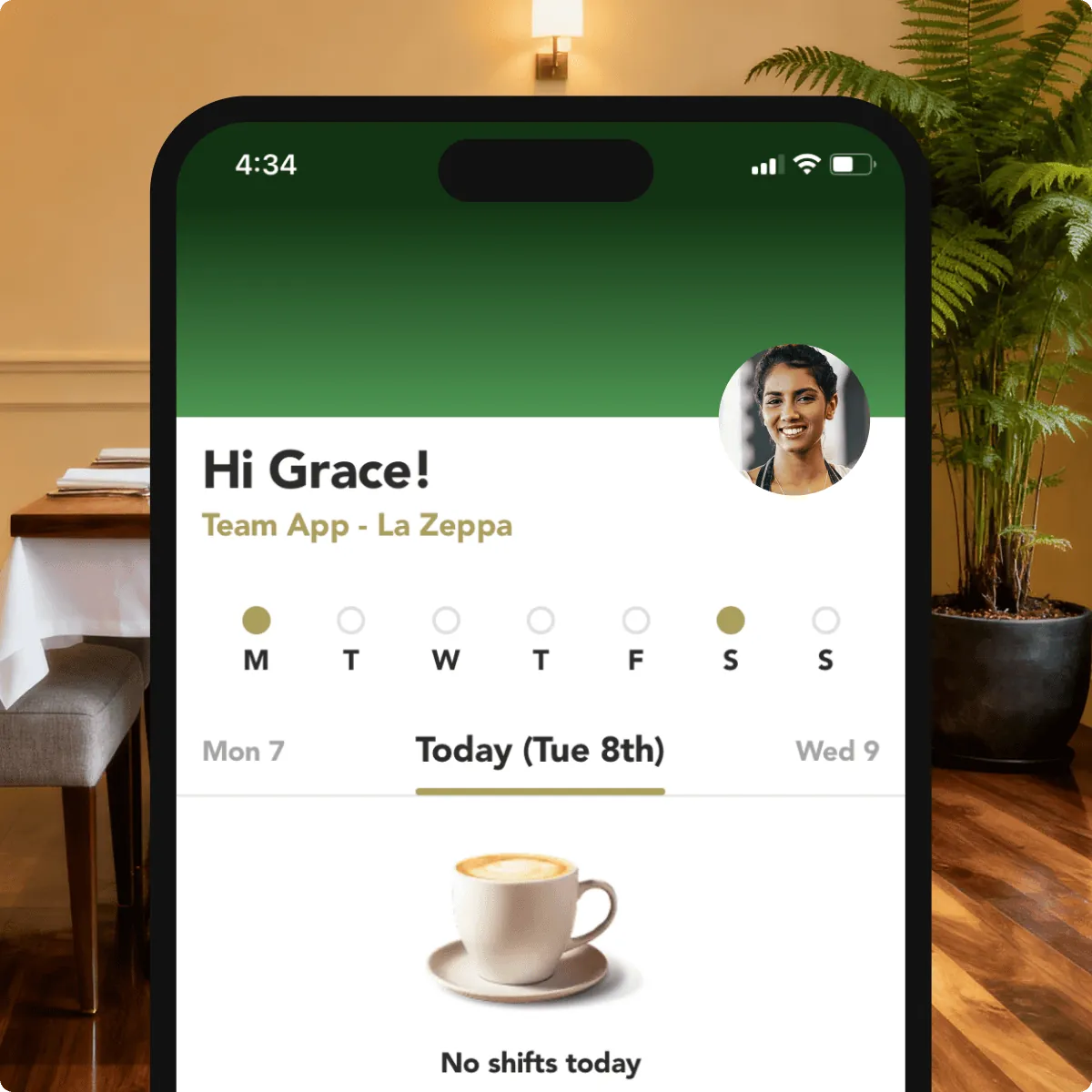
Absolutely, every team member gets their own Loaded app to check their roster, pick up or swap shifts, and request leave.
- Team members can update their availability - whether it’s a one-off event or a regular weekly commitment.
- Everyone can see exactly when they’re working (and who they’re working with) once you’ve published a roster.
- Leave is easy to request, easy to approve, and fully visible to your management team.
- Employees can see their timesheets after clocking in and out via the Loaded Timeclock app.
How does Loaded show real time wage costs?
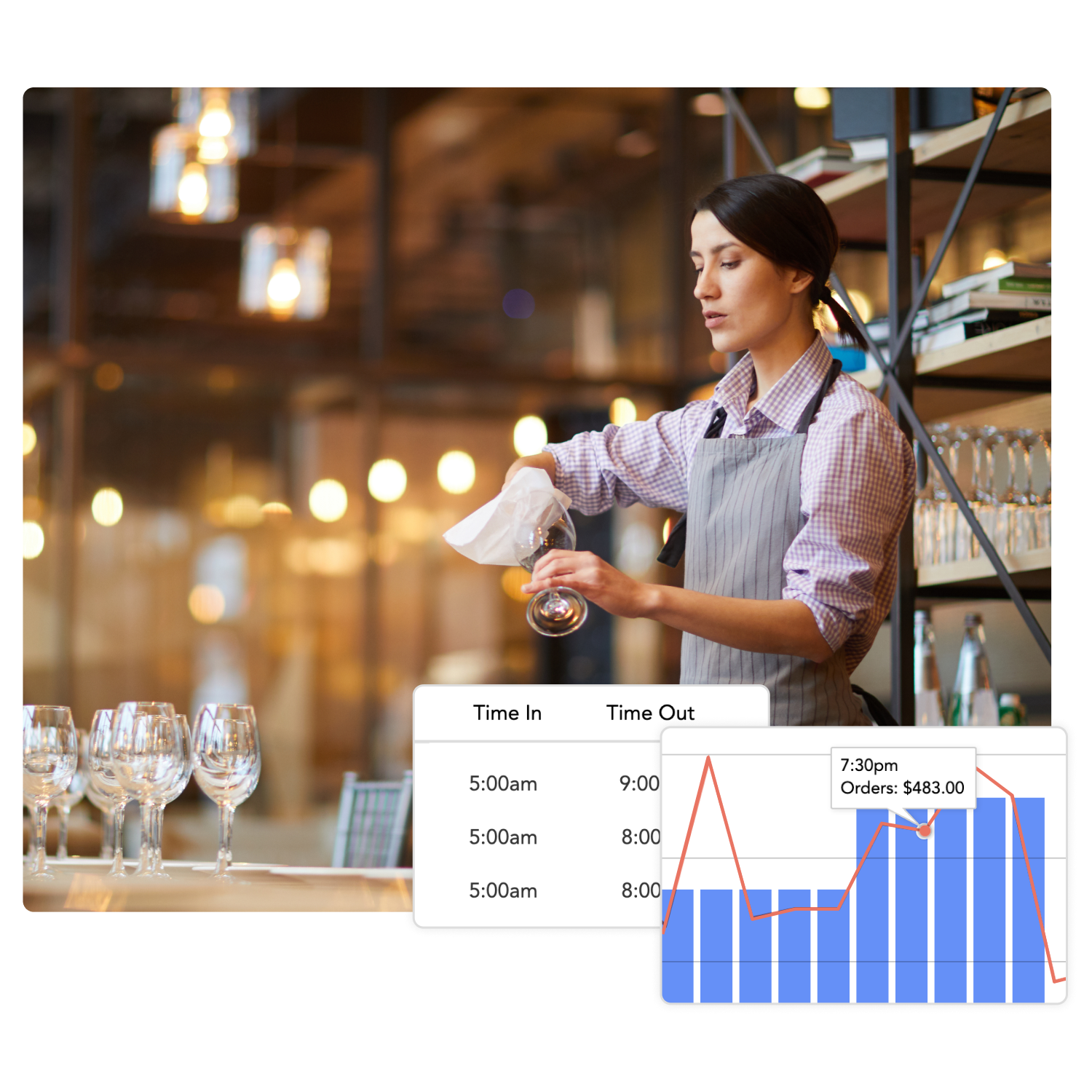
Staff clock in and out through the Loaded app or your POS, and wages are calculated against sales in real time — so you know your labour percentage right now.
- Real time wage analysis driven by online timeclock system or via your point of sale.
- Multi-role and multi-pay rate settings available for those staff that do everything.
- Track real hours vs rostered shifts, including breaks, overtime, and higher weekend/public holiday rates.
- Wage cost vs Sales trend analysis for both food and beverage.
- Full visibility of compliance risks with audit trails, approved times, and award rate application.

How does scheduling work in Loaded?
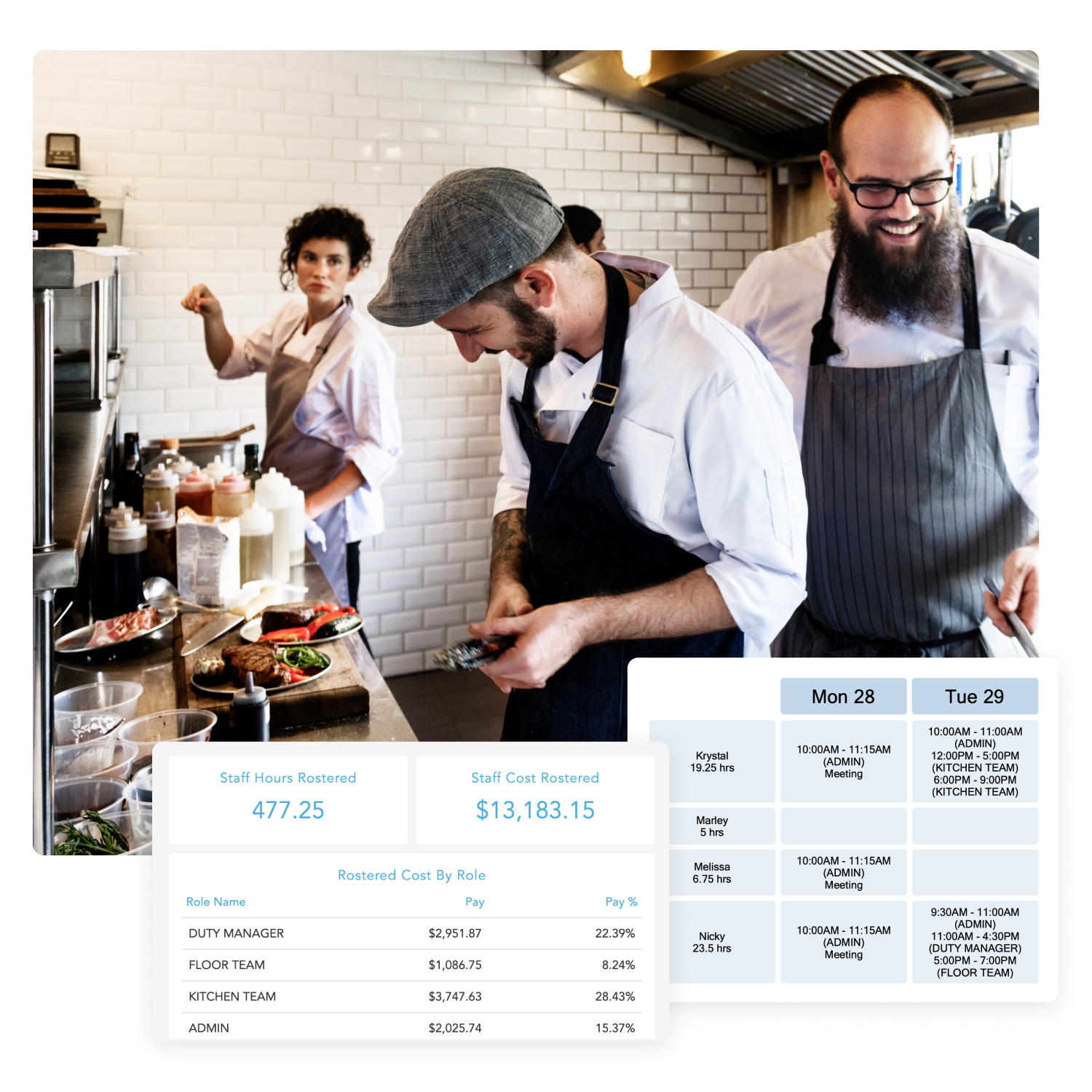
Smart rosters help you schedule the right number of staff against your predicted customer demand, so you never over or under-staff a shift.
- Automated wage percentages delivered as the roster is created.
- Analyse wage cost trend versus sales trend to ensure maximum productivity.
- Copy your roster to future weeks for speed of setup.
- Break your roster down by role and report directly against food and beverage sales.
- Built for Australian venues - apply award rules, set automatic penalty rates, and avoid compliance headaches.

Are penalties and overtime added to every shift?
Correct base rates, penalty rates, overtime and public holiday rates are loaded on every shift, updated each year as Fair Work rates change per state and territory.
- Award rules are auto-applied to rostered and actual hours, giving you exact labour costs against sales in real time.
- Award compliance setup handled for you, just check your team details are correct and trust us to handle the rest.
- Pay rates based on award pay classifications are updated each year to accommodate award updates and wage increases.
- Full Public holiday management handled for every Australian state and territory

How does Loaded help reduce stock cost by 8%?
Loaded connects your recipes, pricing and POS sales live, so stock costs update in real time instead of showing up as a surprise in next month's P&L.
- True end to end inventory management to ensure real time cost of goods accuracy.
- Live pricing of stock items, recipes, menus and cost of goods sold.
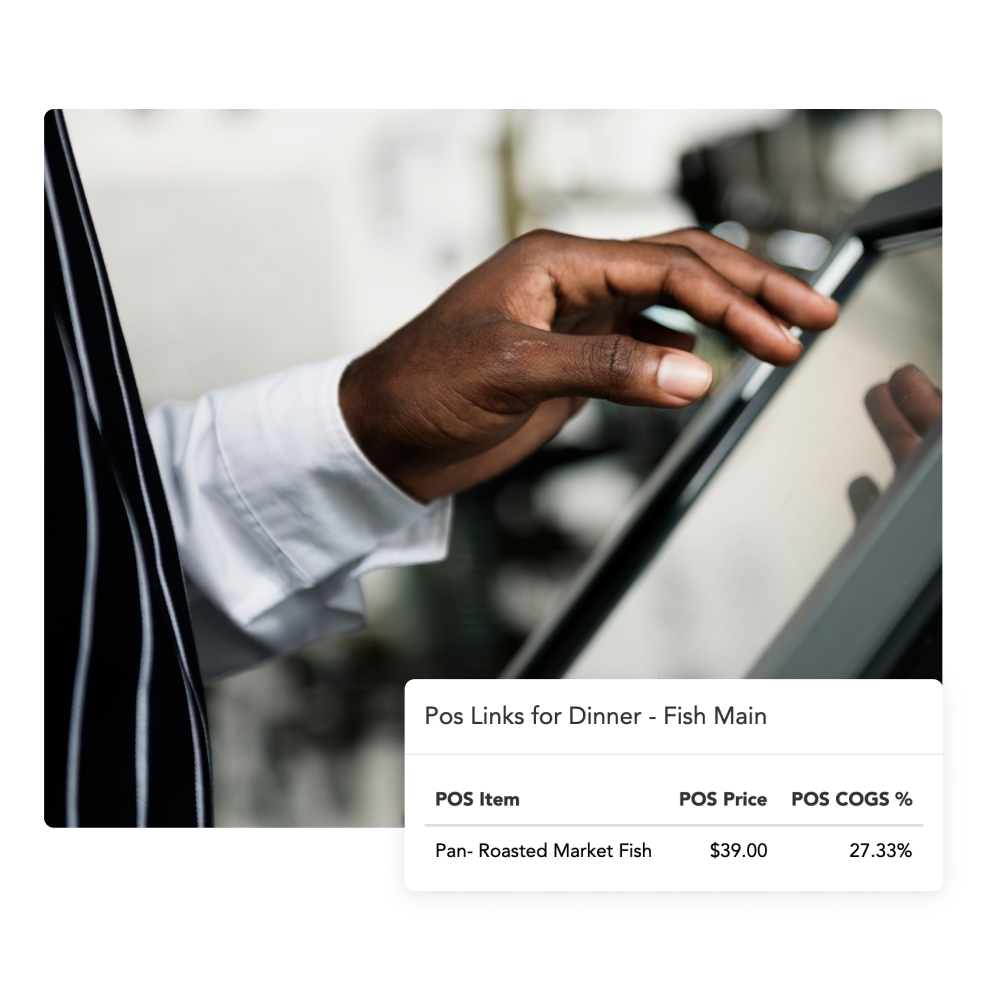
- All items and recipes compared to actual price sold via your point of sale.
- AI processes all of your incoming invoices.
- Create one purchase order and send to all suppliers.
“I've always wanted real-time visibility over our performance - when I realised the problems Loaded solves, I was hooked."
Matty Yates, Owner
Tonoshi Japanese Restaurant Group

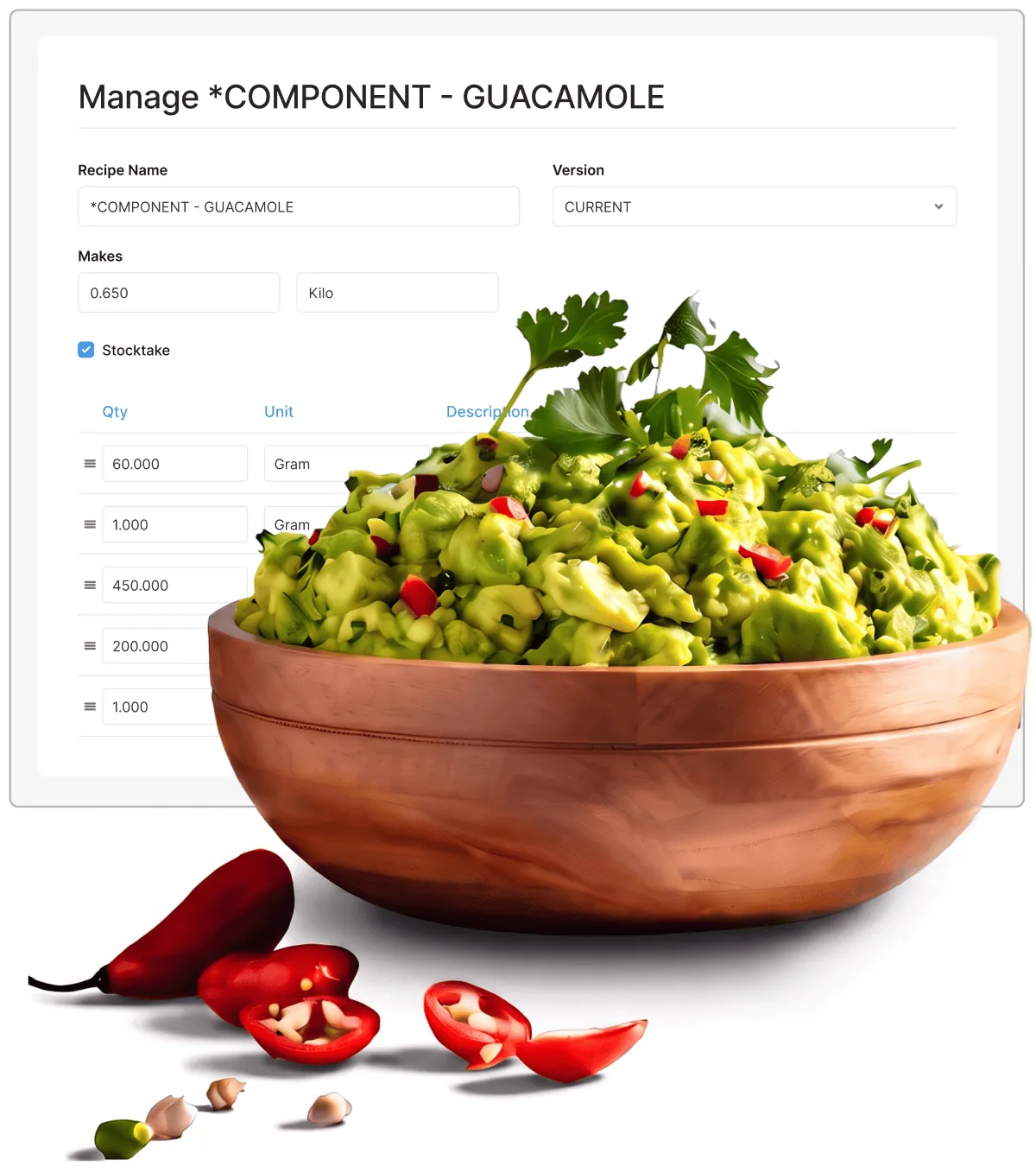
Are my recipe margins kept live in Loaded?
Loaded links recipes straight to your supplier pricing and POS sales — so you always know exactly what you're making on every dish or drink you sell.
- Build recipes directly linked to the price you last paid for a stock item
- Recipe prices and margins update in real time as you receive stock
- Monitor all of your sales and enjoy one click recipe analysis
- Add bulk recipes to stocktakes for total accuracy
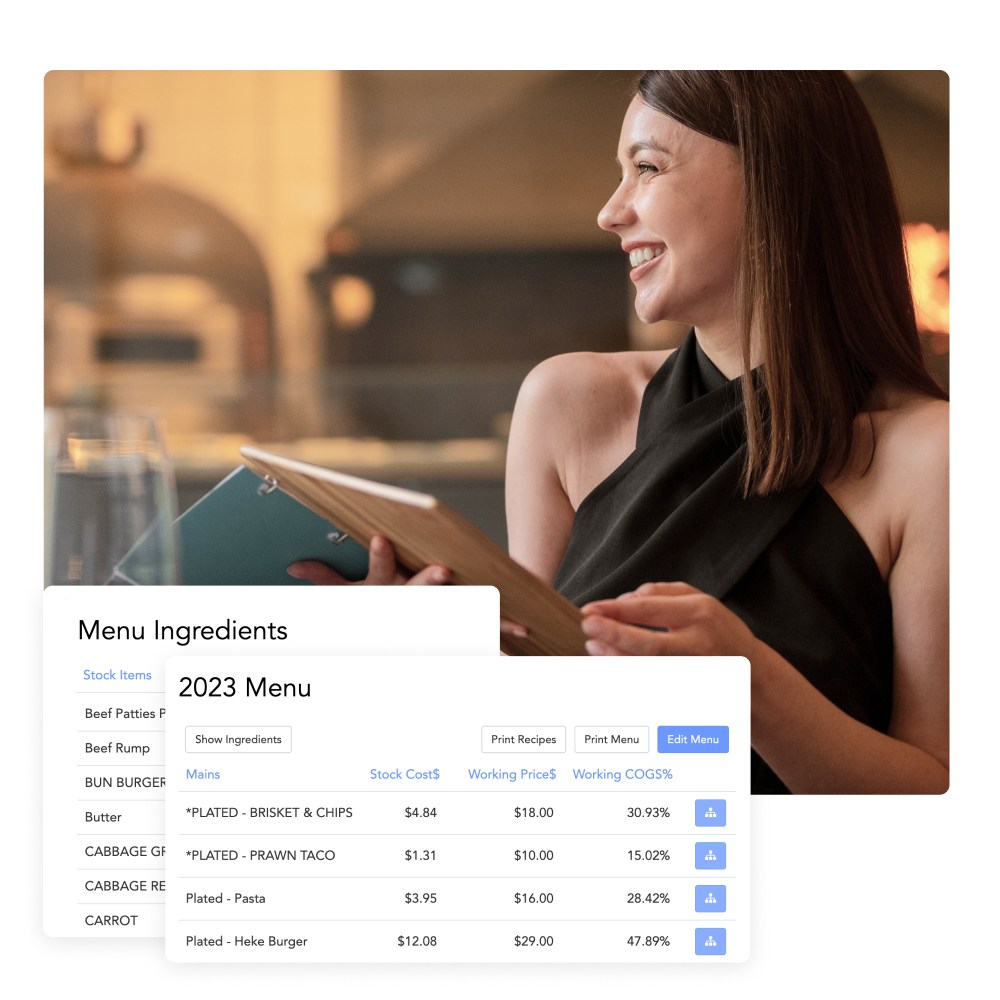
- Organise recipes into menus to track exact margins and sale price

How can I improve my menu margins?
Group recipes into menus, review prices and margins in one place, no more juggling spreadsheets between the kitchen and the till.
- Print full onsite recipe booklets of all recipes in a menu.
- Review all ingredients in any proposed menu.
- Analyse margins on all menu items based on current purchase and sale prices.
- Adjust current sales prices to analyse effect on margin.

Is it true I can create one order and send to all suppliers?
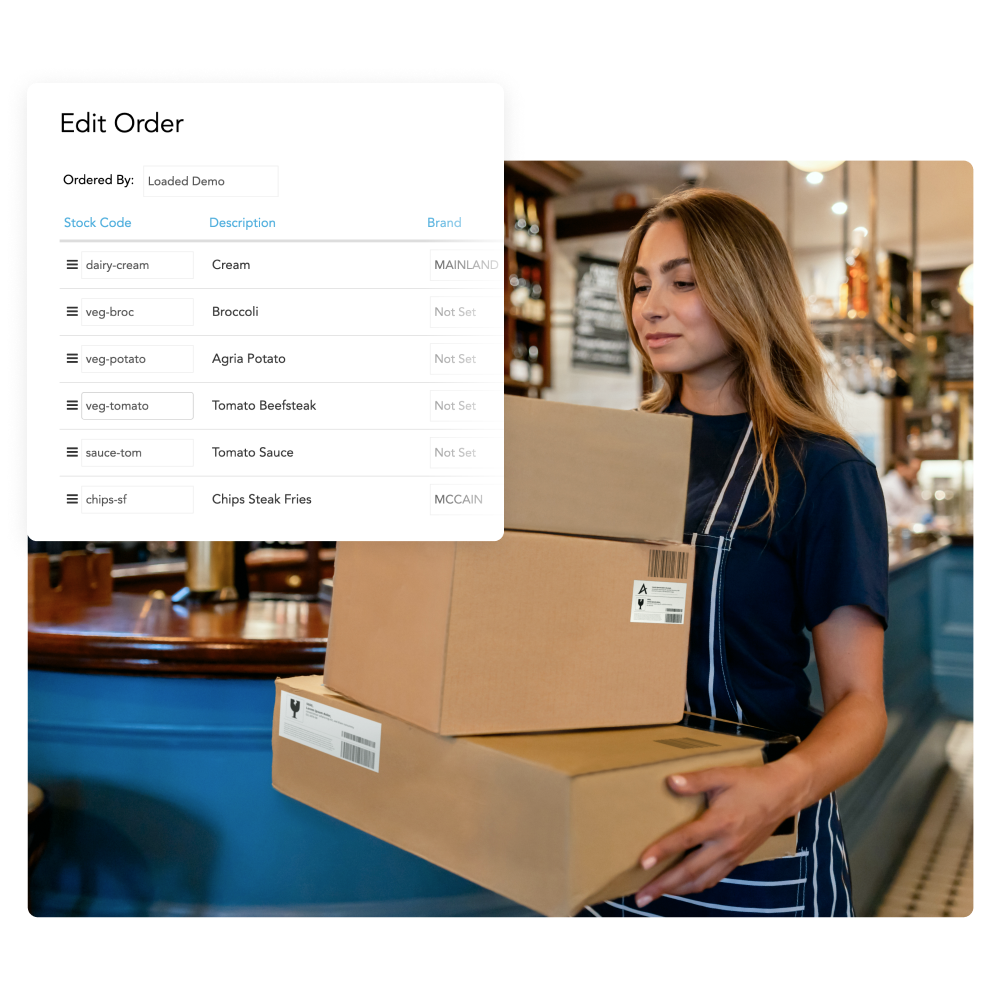
Send orders to all your suppliers from one place, use AI to provide suggested order levels, and skip the back-and-forth of ordering supplier by supplier.
- Add stock items directly from our Global Stock list.
- Create one purchase order and send to all suppliers.
- Export purchase orders and statements directly to Xero.
- Generate credit notes and send directly to suppliers.
- Use Loaded AI to forecast and predict every order to reduce over and under ordering.
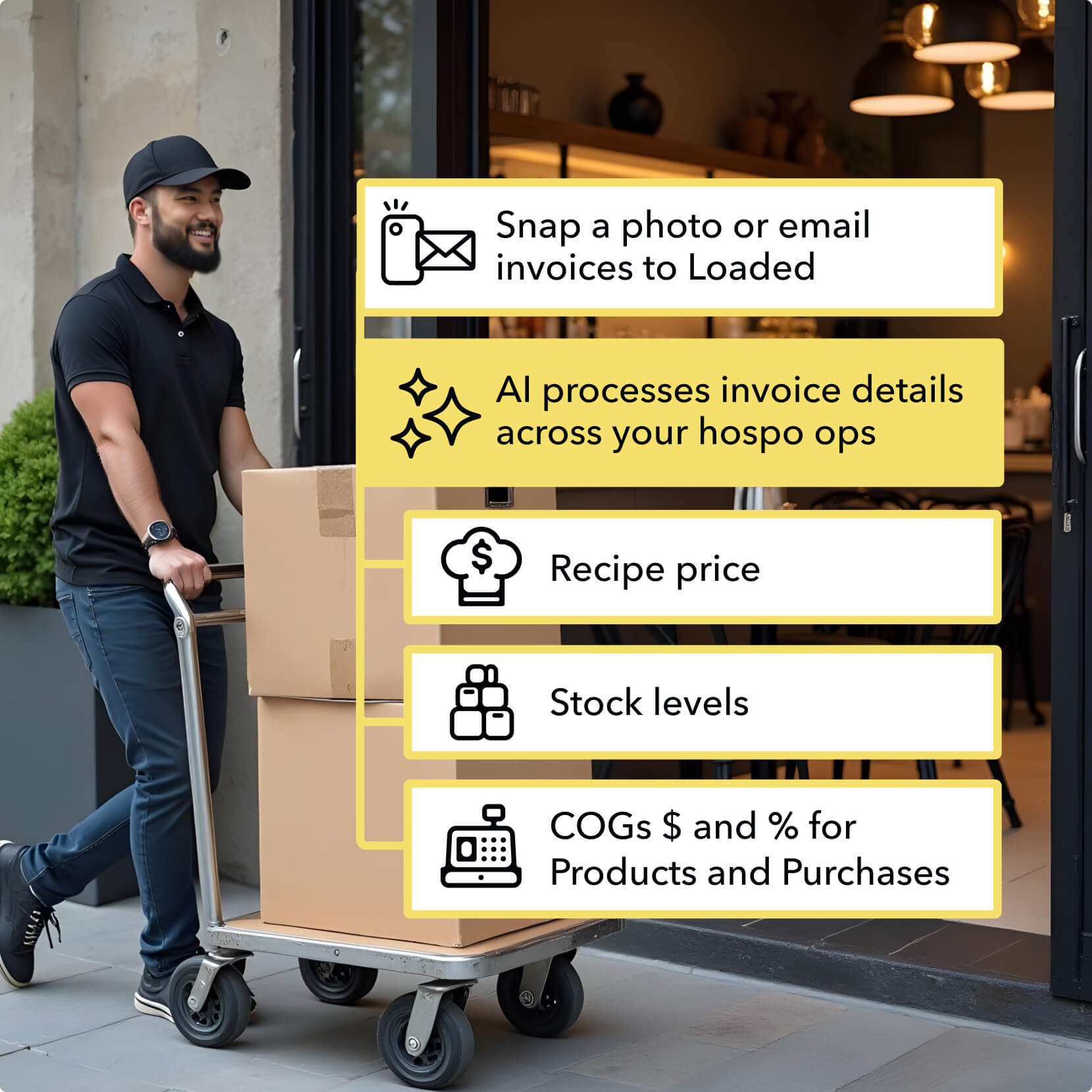

Turn manual invoice processing into fast, automatic insights
AI-powered invoice processing reads invoices and updates your stock levels, recipe costs and margins in real time.
- Snap a photo or email your invoices, and watch AI go to work.
- Automatically update stock levels and recipe costs.
- Track COGs and margins in real-time.
- Export directly to Xero for seamless accounting.
- Process invoices in 40 seconds instead of 3 minutes.
How does stocktaking work in Loaded?
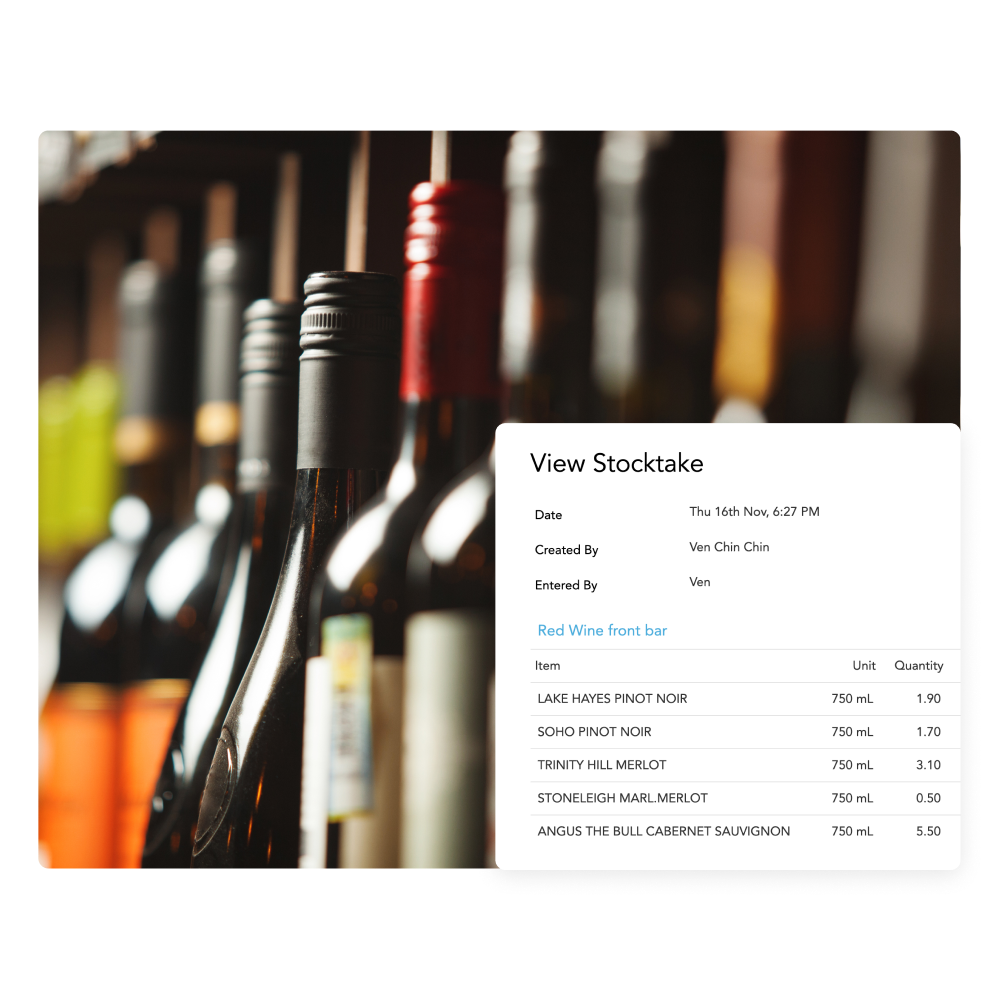
Run full stocktakes whenever you need them, with the flexibility to simply count individual problem items — so you can drive genuine savings.
- Flexible stocktaking to allow full stocktakes right down to single problem items.
- Add bulk recipes and individual stock areas to each stocktake as required.
- Analyse wastage per item with full tracking of inwards and calculated usage.
- Understand the effect discounting is having on your margins.
Frequently asked questions
Does Loaded work with my existing POS system?
Loaded integrates with major hospitality POS systems including Square, Lightspeed, Tevalis, Bepoz, Swiftpos, Idealpos, Impos, Ordermate, AI Menu, Dnero, Wizbang and Tabin.
Can I manage stock across multiple venues?
Yes, all stock items and recipes can be centrally managed and then shared to each venue within the group. Individual venue and consolidated COGS group reporting is viewable in real time.
Does Loaded handle Australian award compliance?
Yes, the hospitality, restaurant and fast food awards are all supported as well as customisable award rules. Base rates, penalty rates, overtime, public holiday loading all supported and updated automatically annually.
What accounting software does Loaded integrate with?
Loaded integrates with Xero for accounting and payroll export, including purchase orders, credit notes and timeclock data.
How does Loaded's AI invoice processing work?
Invoices can be emailed directly from suppliers to your Loaded inbox or photos of invoices can be taken and uploaded. AI reads line items, updates stock and recipe costs and exports to Xero.